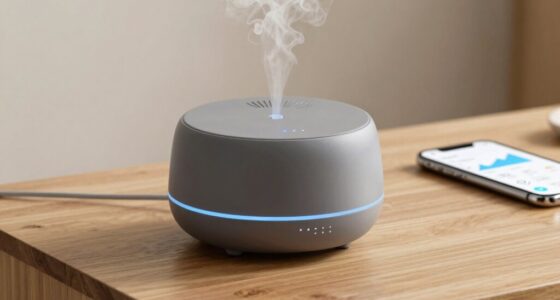
If your diffuser has a microphone, it’s vital to understand data security basics to protect your privacy. Make certain your device uses strong encryption like AES during data transmission, and turn off features you don’t need to limit data collection. Regularly update your device’s firmware to patch security vulnerabilities and change default passwords for added safety. Using a separate or guest Wi-Fi network further shields your personal info. Continue to explore essential tips to keep your smart diffuser’s data secure.
Key Takeaways
- Voice-enabled diffusers may collect and transmit personal audio; review privacy policies to understand data handling.
- Use strong encryption, like AES, during data transmission to prevent unauthorized access.
- Regularly update firmware to patch security vulnerabilities and enhance device protection.
- Disable unnecessary voice features and data sharing options to reduce privacy risks.
- Secure your Wi-Fi network with WPA3 or a separate guest network to isolate smart diffuser communications.

As smart diffusers become more popular in homes and offices, ensuring their data security is more important than ever. These devices often come equipped with microphones to allow voice commands and automate functions, but this convenience can raise significant privacy concerns. You might not realize that every voice command, ambient sound, or conversation picked up by your diffuser could be stored or transmitted externally. That’s why understanding the basics of data security for these devices is vital.
One of the most effective ways to protect your privacy is through robust encryption methods. When your diffuser transmits data—whether it’s voice commands, user settings, or usage patterns—encryption encodes this information so that only authorized parties can decode it. Look for devices that utilize strong encryption protocols like AES (Advanced Encryption Standard). This ensures that even if someone intercepts your data in transit, they won’t be able to decipher it. Many reputable brands now implement end-to-end encryption, meaning your data remains protected from the moment it leaves your device until it reaches the cloud or server.
Use strong encryption like AES and end-to-end protocols to protect your diffuser’s data in transit.
However, encryption isn’t a silver bullet. You also need to be aware of privacy concerns related to how your data is stored and used. Some manufacturers collect and analyze your voice data to improve their services or for targeted advertising. Before purchasing or setting up a smart diffuser, review the privacy policy carefully. Check whether the device stores recordings locally or uploads them to the cloud. Opt for devices that offer clear controls over data collection and storage, and consider disabling any features that aren’t necessary for your use.
Another important step is to keep your device’s firmware updated. Manufacturers often release security patches that fix vulnerabilities, including those that could expose your data. Regular updates reduce the risk of unauthorized access through known exploits. Additionally, change default passwords and use strong, unique credentials for your device’s account. This prevents hackers from easily gaining access if your diffuser’s login details are publicly available or easily guessable.
Lastly, be mindful of your network security. Use a secure Wi-Fi connection with WPA3 encryption if available, and consider setting up a separate network or guest network for your smart devices. This way, even if your diffuser’s security is compromised, it won’t give intruders access to your entire home network. Device security best practices can further enhance your protection.
Frequently Asked Questions
Can Hackers Access My Home Network Through the Diffuser Microphone?
Yes, hackers could potentially access your home network through the diffuser microphone if security isn’t tight. They might exploit vulnerabilities in voice recognition systems or intercept unencrypted data. To protect yourself, make sure your diffuser uses strong data encryption and keep its firmware updated. Regularly review your network’s security settings, use a strong Wi-Fi password, and disable features you don’t need to minimize risks.
What Data Does the Diffuser Microphone Collect and Store?
Your diffuser microphone collects voice recognition data to understand commands and improve performance. It typically stores voice recordings temporarily or in encrypted form to protect your privacy. Data encryption guarantees your recordings stay secure, preventing unauthorized access. Be aware that some devices may transmit voice data to cloud servers for processing, so always check your diffuser’s privacy settings and data handling policies to keep your information safe.
Are There Privacy Risks With Smart Diffuser Software Updates?
Updating your smart diffuser can feel like opening a window to fresh air, but it also risks letting in unseen shadows. Privacy policies and data encryption are your shields, but updates might alter these safeguards. Sometimes, new software could introduce vulnerabilities or change how your data is managed. Stay vigilant, review policies, and ensure encryption remains strong to keep your privacy safe amid these technological gusts.
How Can I Disable the Microphone on My Smart Diffuser?
You can disable the microphone on your smart diffuser through its privacy settings. First, access the app or device menu, then locate the microphone or privacy options. Toggle the microphone disablement switch to turn it off. This guarantees your privacy by preventing any audio recording or transmission. Always review the privacy settings after updates, as some firmware changes might reset or alter microphone controls, so stay vigilant.
Is My Voice Data Shared With Third-Party Companies?
Your voice data might be shared with third-party companies if the manufacturer’s privacy policy permits it. Always review the privacy policy to understand third-party access and data sharing practices. You can usually disable voice data sharing in the app settings to prevent your voice from being sent elsewhere. Keep in mind, some devices may still retain data even after disabling, so stay informed and regularly check your privacy options.
Conclusion
So, next time your smart diffuser whispers sweet nothings through its mic, remember—it’s also listening to your secrets. While you’d think it’s just there to fill your space with fragrance, it’s secretly gathering data. Ironically, the gadget meant to enhance relaxation might be quietly invading your privacy. So, enjoy your calming scents, but don’t forget: your diffuser’s got a front-row seat to your life—and it’s always listening.